
Signup Forms
Signup Forms allow you to create embeddable forms that collect SMS subscribers directly from your website. When visitors submit a form, they’re automatically added to your contacts with the tags you specify.
Overview
Section titled “Overview”Signup Forms provide a seamless way to grow your SMS subscriber list:
- Embeddable - Add forms to any website with a simple iframe code
- Customizable - Match your brand colors and styling
- CASL Compliant - Built-in consent checkbox and compliance features
- Automatic Tagging - New contacts are tagged automatically for easy targeting
Managing Forms
Section titled “Managing Forms”Forms List
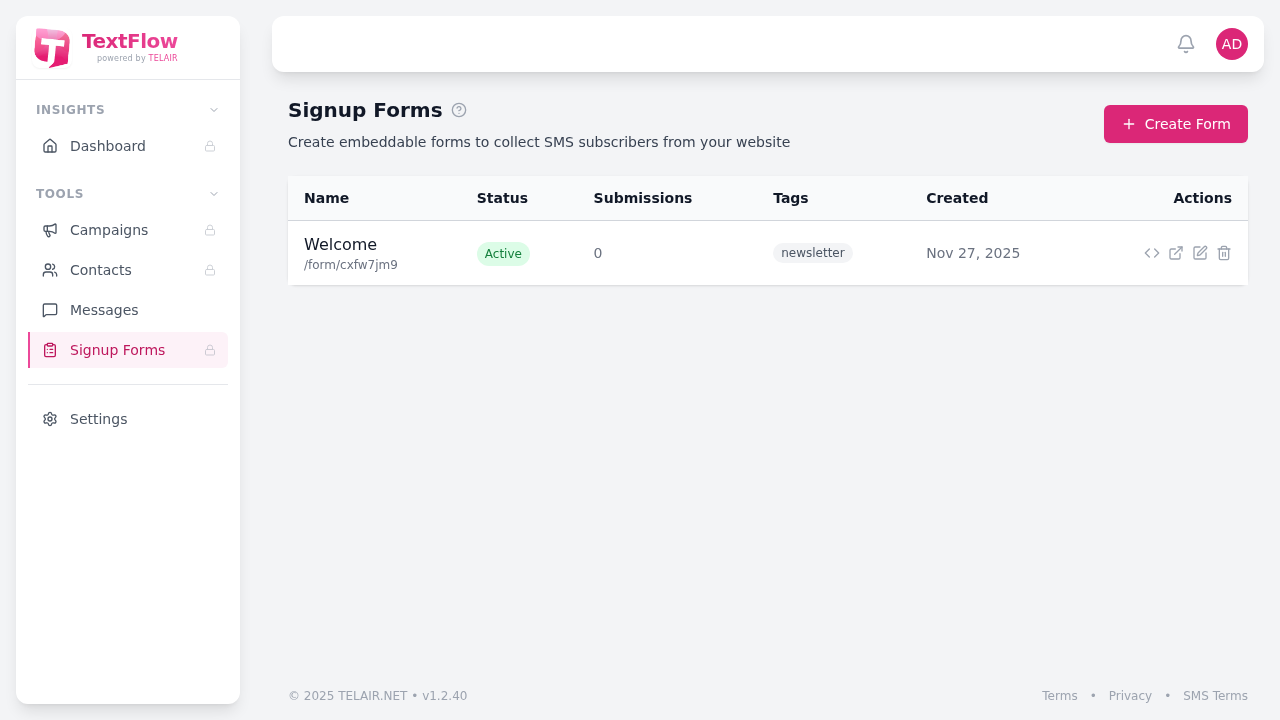
Section titled “Forms List”The Signup Forms page displays all your forms with key information:
| Column | Description |
|---|---|
| Name | Internal name for the form |
| Status | Active or Inactive |
| Submissions | Number of contacts collected |
| Tags | Tags applied to new contacts |
| Created | When the form was created |
| Actions | Edit, preview, embed, or delete |
Creating a Form
Section titled “Creating a Form”- Click Create Form
- Configure the form settings
- Save and get your embed code
Form Actions
Section titled “Form Actions”For each form, you can:
- Get Embed Code - Copy the iframe code or direct link
- Preview - See how the form looks to visitors
- Edit - Modify form settings and appearance
- Delete - Remove the form (submissions are retained)
Quick Links
Section titled “Quick Links”- Creating Forms - Step-by-step guide to creating signup forms
- Embedding Forms - How to add forms to your website
- Form Customization - Styling and appearance options
Access Requirements
Section titled “Access Requirements”Signup Forms are available to users with Admin or Manager roles. Staff members cannot access this feature.