
Billing Settings
The Billing tab allows administrators to view their current plan, purchase additional message packs, and track request history.
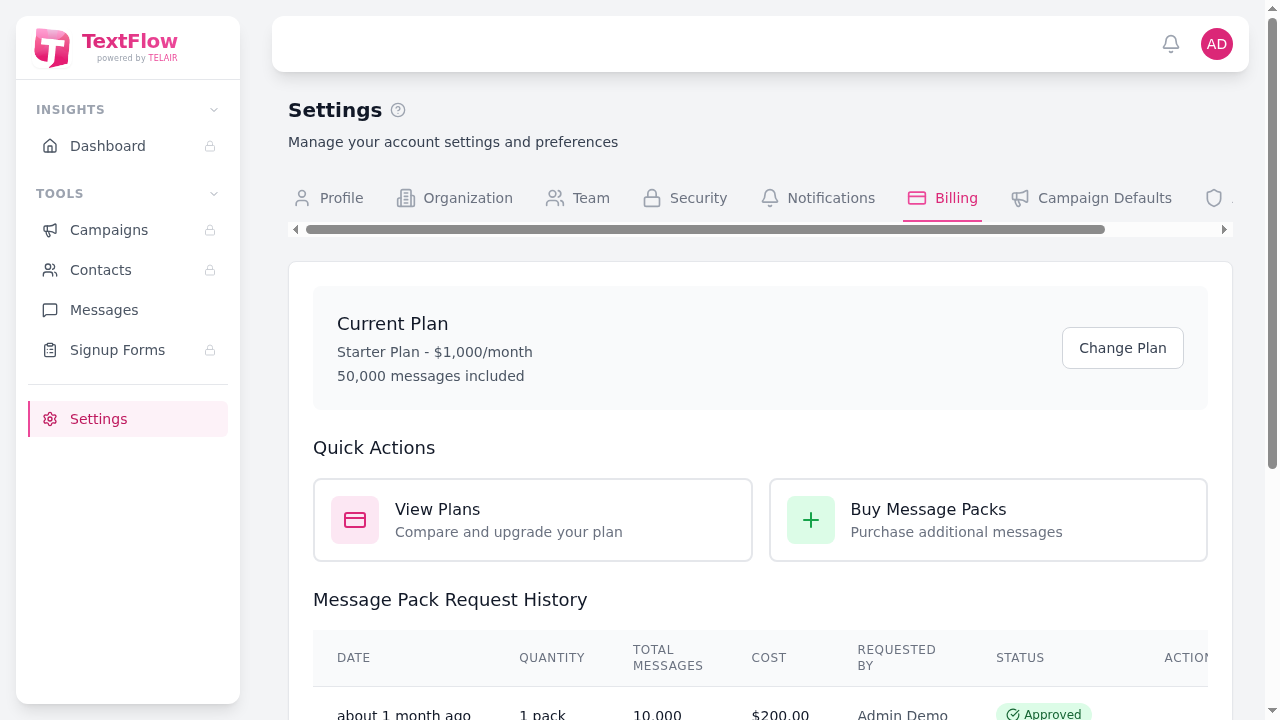
Current Plan
Section titled “Current Plan”View your active subscription plan details:
- Plan name - Your current subscription tier
- Monthly cost - Your monthly subscription fee
- Messages included - Monthly message allocation
To change your plan, click Change Plan to view available options.
Quick Actions
Section titled “Quick Actions”View Plans
Section titled “View Plans”Click to open the pricing modal and compare available subscription plans. Each plan shows:
- Monthly message limits
- Daily sending limits
- Number of users included
- Available features
Buy Message Packs
Section titled “Buy Message Packs”Need more messages before your monthly reset? Purchase additional message packs:
- Click Buy Message Packs
- Select the number of packs (10,000 messages each)
- Enter a justification for the purchase
- Submit your request
Message pack requests are reviewed by administrators and you’ll receive an email notification when approved or declined.
Message Pack Request History
Section titled “Message Pack Request History”Track all your message pack requests:
| Column | Description |
|---|---|
| Date | When the request was submitted |
| Quantity | Number of packs requested |
| Total Messages | Total messages in the request |
| Cost | Total cost of the request |
| Requested By | User who submitted the request |
| Status | Approved, Not Approved, or Pending |
Request Statuses
Section titled “Request Statuses”- Pending - Request is awaiting review
- Approved - Messages have been added to your account
- Not Approved - Request was declined (contact support for details)
Understanding Your Limits
Section titled “Understanding Your Limits”Monthly Limits
Section titled “Monthly Limits”Your plan includes a set number of messages per month. This resets on the 1st of each month.
Daily Limits
Section titled “Daily Limits”To prevent abuse, there’s also a daily sending limit based on your plan. This resets at midnight Eastern Time.
Addon Messages
Section titled “Addon Messages”Purchased message packs are used after your monthly allocation is exhausted. Unused addon messages expire after 30 days.
AI Features & Auto-Responders
Section titled “AI Features & Auto-Responders”Higher-tier plans include AI features and auto-responders:
Plan Comparison
Section titled “Plan Comparison”| Feature | Starter | Pro | Business | Enterprise |
|---|---|---|---|---|
| AI Features | - | Yes | Yes | Yes |
| AI Generations/Month | - | 100 | 500 | Unlimited |
| Auto-Responders | - | Up to 10 | Unlimited | Unlimited |
| AI Match Type | - | Yes | Yes | Yes |
AI Features
Section titled “AI Features”AI features include:
- Message Generation - Create SMS content from topic descriptions
- Compliance Analysis - Check messages for CASL compliance issues
- Rewrite Suggestions - Get AI-powered improvements to your messages
AI generations are tracked monthly and reset on the 1st of each month. View your current usage in the AI Assistant panel.
Auto-Responders
Section titled “Auto-Responders”Auto-responders automatically reply to incoming messages based on keywords:
- Create keyword triggers with various match types
- Set up personalized response messages
- Use AI-powered intent matching (uses AI credits)
See Auto-Responders for setup instructions.
Need More Messages?
Section titled “Need More Messages?”If you frequently need additional messages, consider:
- Upgrading to a higher-tier plan
- Contacting sales for a custom plan
- Purchasing message packs for temporary needs