
Organization Settings
The Organization tab allows administrators to configure organization-wide settings including business details, contact management mode, and phone number labels.
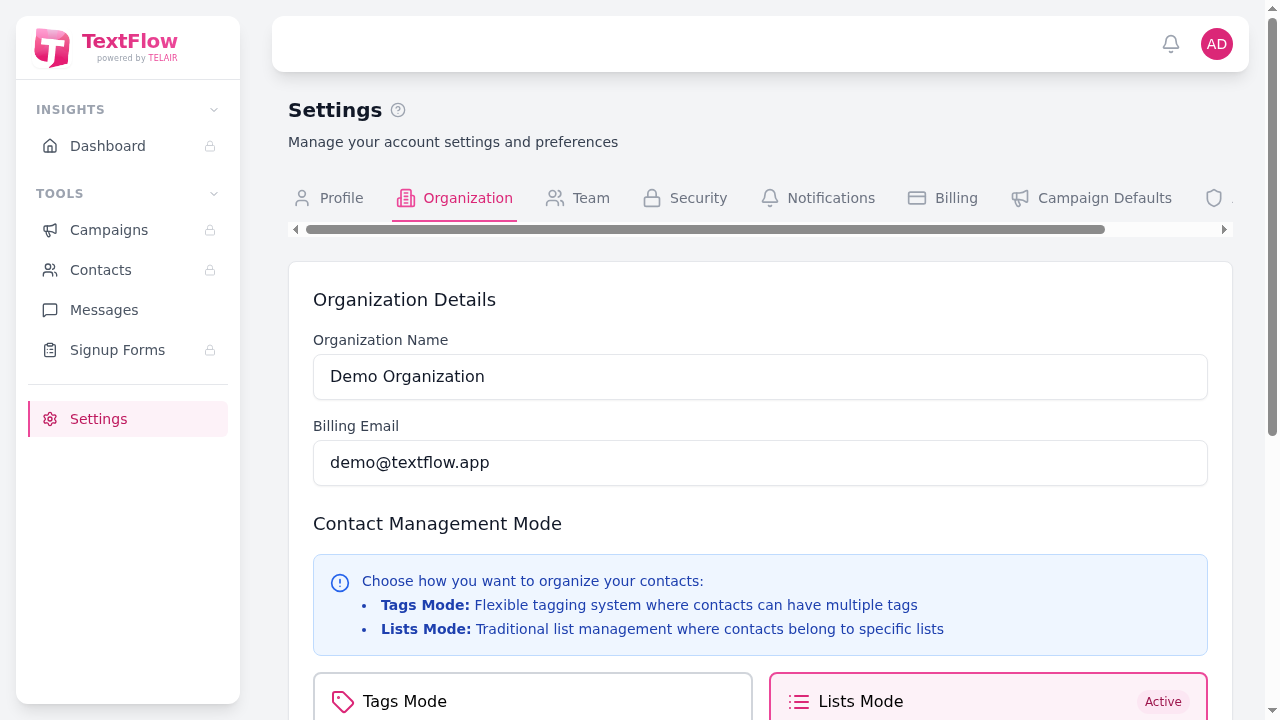
Organization Details
Section titled “Organization Details”Organization Name
Section titled “Organization Name”Your business or organization name. This appears in various places throughout the platform and may be included in SMS messages using the {org_name} placeholder.
Billing Email
Section titled “Billing Email”The email address used for billing-related communications and invoices.
Contact Management Mode
Section titled “Contact Management Mode”TextFlow offers two ways to organize your contacts. Choose the mode that best fits your workflow:
Tags Mode
Section titled “Tags Mode”- Flexible tagging system - Contacts can have multiple tags
- Multiple tags per contact - A single contact can belong to many categories
- Campaign targeting by tags - Select one or more tags when creating campaigns
- Tag-based filtering - Easily filter contacts by their tags
Best for: Organizations that need flexible categorization where contacts may belong to multiple groups.
Lists Mode
Section titled “Lists Mode”- Traditional list management - Contacts belong to specific lists
- Organized by list - Each contact is assigned to one or more lists
- Campaign targeting by lists - Select lists when creating campaigns
- Easy list imports - Import contacts directly into lists
Best for: Organizations migrating from other platforms or preferring traditional list-based organization.
Phone Number Management
Section titled “Phone Number Management”Assign friendly names to your organization’s phone numbers for easy identification:
- Find the phone number in the list
- Click Add name or the edit button
- Enter a descriptive name (e.g., “Sales”, “Support”, “Marketing”)
- Click save
Phone number names help team members quickly identify which number to use for different purposes.
Saving Changes
Section titled “Saving Changes”Click Save Changes to apply your organization settings. Changes take effect immediately for all users in your organization.